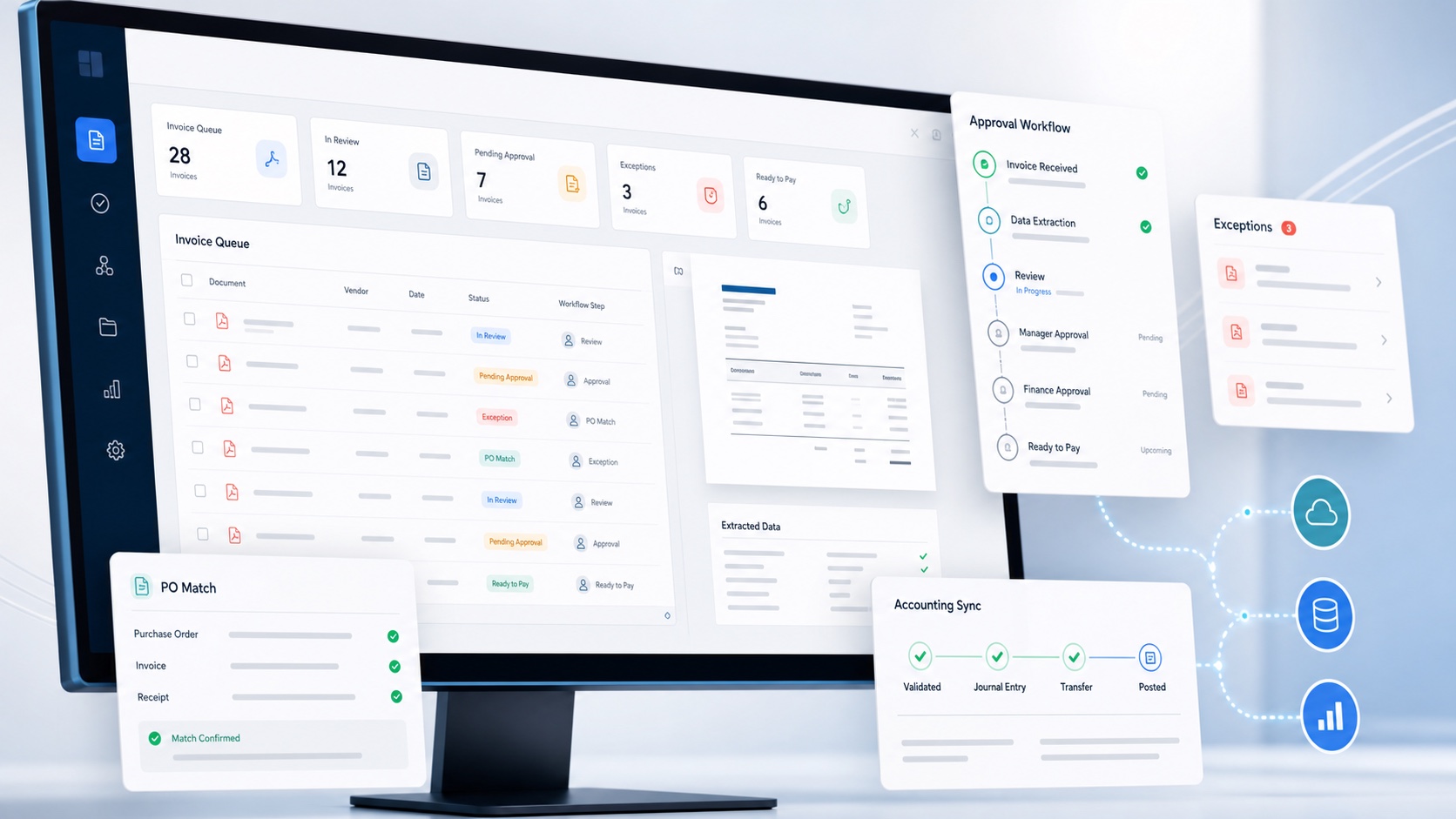
The best accounts payable automation software for a UK small business is the system that fits its real invoice volume, approval responsibility and accounting setup. A long feature list matters less than reliable capture, clear exceptions, usable controls, transparent cost and an accurate connection to Xero or QuickBooks Online.
Small businesses should not have to choose between manual invoice entry and an enterprise procurement programme. The useful middle ground is software that a compact finance team can configure, understand and operate without a long implementation project.
For an overview of our own workflow, explore ArrowBill's accounts payable software for UK finance teams. Use the comparison below to assess it against your requirements and the other products.
Four AP automation products to compare for a UK small business
Editorial disclosure: ArrowBill publishes this guide and is one of the products compared. This is a comparison of documented capabilities, not a hands-on ranking of competitors. The suggested fit is our assessment; no single product wins for every business. Vendor pages were checked on .
| Product and suggested fit | Capture and controls | Accounting connection | Pricing and what to check |
|---|---|---|---|
| ArrowBill Small teams wanting a focused invoice-to-ledger workflow | Line-item extraction and review. Team adds approval rules, procurement and two-way PO matching. | Xero and QuickBooks Online. | Solo £45/month; Team £70/month at 100 invoices. Solo has one user and no approval workflows. Supplier payment remains outside ArrowBill. |
| Lightyear Teams needing goods-received and three-way matching | Line-item extraction and approvals; Standard includes goods received notes and three-way PO matching. | Xero integration; confirm the connector and mapping for your ledger. | Document-credit plans. Orders and statements also consume credits; integration charges may apply. |
| Zahara Teams wanting purchasing and budget controls alongside AP | Invoice capture, approval workflows and purchasing controls. | Xero; the vendor also lists QuickBooks and Sage connections. | Published monthly and annual plans. Compare included users, orders and AI-read invoices; confirm budget features in the chosen tier. |
| DOKKA Teams evaluating broader ERP-connected AP automation | Invoice extraction, approval routing, reminders, and two-way or three-way matching. | Xero and QuickBooks pages are available; verify your edition and required objects. | No public GBP price was available on the AP product page reviewed. Request a quote covering entities, volume, integration and implementation. |
ArrowBill: a focused route from invoice capture to accounting
Shortlist ArrowBill if you use Xero or QuickBooks Online and want capture, review and accounting publication in one workspace. At 100 invoices per month, Solo costs £45 and Team costs £70. Team includes 20 users at volumes up to 500 invoices, rising to 50 above that level, plus one head office and three subsidiaries. The material limitation is scope: Solo does not include approvals or procurement, and neither plan replaces your supplier-payment system. See the plan-specific AP features and current volume pricing and add-ons.
Lightyear: consider it when receiving goods is part of the control
Lightyear's published plans separate basic capture and approvals from Standard features such as goods received notes and three-way matching. Its credit model needs careful comparison with an invoice allowance: purchase orders and supplier statements consume credits too. Ask for the total at your expected document mix and confirm any connector charge. Those details can matter more than the starting subscription. Sources: Lightyear UK plans and credit rules and Xero integration.
Zahara: consider it when purchasing control leads the project
Zahara combines purchasing, invoice processing and approval workflows, with published plan allowances for users, orders and AI-read invoices. Its Xero documentation describes supplier, account and tax-code mapping. Ask the vendor to demonstrate budget checks, invoice matching and the exact export for your accounting system, then confirm which tier contains the controls you need. Sources: Zahara pricing and allowances and Xero workflow and mapping.
DOKKA: consider it for more complex accounting workflows
DOKKA documents invoice extraction, policy-based approval routing, reminders, and two-way or three-way matching. Its separate AP and financial-close modules may be relevant if the project extends beyond bill preparation. Request a written quote and a demonstration using your own invoice and accounting requirements; the AP page reviewed did not provide a public GBP subscription to compare directly. Sources: DOKKA AP capabilities and supported integrations.
Compare like for like: ask each vendor for the same invoice volume, user count, entities, matching requirements and accounting connector. Confirm VAT, annual commitments, onboarding, overages and renewal terms. Prices and packages can change; use the linked vendor pages and written quotes for a purchase decision.
Define “best” for your business before comparing brands
Begin with the outcome. Are you trying to remove data entry, stop chasing approvals, control duplicate invoices, improve purchase order matching, support several entities or prevent another hire becoming necessary? Rank the problems because no product is strongest at every one.
Check the tools already included in your ledger first. Our AP software versus accounting software guide explains when a separate workflow can justify another subscription.
A good small business fit handles ordinary invoices quickly, makes unusual invoices obvious, connects cleanly to the accounting ledger and remains understandable when the person who configured it is away.
Document monthly and peak invoice volume, currencies, entities, receipt channels, approver count, purchase order use and the proportion of invoices requiring line level detail. These facts determine the workflow and the total price more reliably than employee count alone.
Build a shortlist around non negotiable capabilities
- Accounting compatibility. Confirm the exact Xero or QuickBooks Online objects, tax codes, dimensions and attachments supported.
- Invoice detail. Decide whether header only capture is enough or whether you need every line, discount and tax amount.
- Approval control. Check value limits, groups, sequences, delegation, reminders, self approval rules and audit history.
- Exception handling. Look for visible duplicate, supplier, coding and match exceptions with accountable owners.
- Commercial fit. Include subscriptions, invoice allowances, users, entities, implementation, support and minimum term.
Remove any option that fails a genuine non negotiable. Do not compensate for a missing core control with a feature that your process will never use.
Requirements that matter to a UK small business
Start with invoice capture. If suppliers send PDFs by email, confirm whether each business entity receives a dedicated address and how multiple attachments, forwarded threads and non invoice documents are handled. If staff scan paper, test image quality and multi page documents. Retaining the original matters for audit and supplier queries.
Ask for line item detail where reporting, tax, project coding or purchase order matching requires it. Header only extraction may save some typing but still leave finance rebuilding the invoice below the total. Test discounts, freight, credits, mixed VAT treatment and foreign currencies rather than assuming a clean one line bill.
Use the invoice capture test pack to compare multi-page documents, line completeness and correction time with the same examples in each product.
Approval rules should match actual authority. A small team may need supplier owners, value thresholds, groups, sequential or parallel decisions and dated absence cover, but it should not need a consultant to change an approver. Check that self approval and cross entity access can be controlled and that every override leaves evidence.
For UK VAT work, confirm that the product uses the accounting platform's active tax configuration and does not infer treatment from a rate alone. Zero rated, exempt, outside scope and reverse charge transactions can share a numeric result while requiring different accounting treatment. Finance must remain able to review and correct it.
Finally, inspect data handling. Understand processing locations, subprocessors, retention, deletion, user authentication, role permissions and audit logging. Security questionnaires should produce specific answers about the service you will actually use.
Questions to ask every shortlisted vendor
Ask the vendor to demonstrate your route rather than describe a generic one. How does an invoice arrive? Which fields and lines are extracted? What happens below the confidence threshold? How is an unknown supplier handled? Can a likely duplicate be released, and who is permitted to do it?
For approvals, ask how authority limits, groups, sequences, delegation and self approval are enforced. Confirm whether reminders and escalation are configurable and whether changes to a rule affect invoices already in progress. Request an export or screen view of the audit history.
For the accounting connection, ask how contacts, account codes, tax rates and tracking dimensions are refreshed. What prevents a retry from creating a second bill? Where do failed publications appear, and can finance reconcile each AP record to its Xero or QuickBooks identifier?
Commercially, ask for the price at current, peak and forecast volume; the minimum term; implementation assumptions; support hours; data export method; retention after cancellation; and which features require another tier. Record the answers in the same scorecard for each product.
Calculate the true monthly cost
A headline subscription is not a comparison. Model a normal month and a peak month, then include invoice overages, users, entities, storage, support, setup, integrations and any annual commitment. If pricing requires a sales call, ask for the full first year and renewal cost in writing.
Compare that total with the present cost of manual processing: staff time, correction work, approval delays, lost discounts, duplicate risk and the next increment of hiring. Avoid invented return on investment precision; use your own volumes and observed handling time.
The UK accounts payable software cost guide includes a worked GBP budget and a checklist for comparing complete vendor quotes.
Test with difficult invoices, not demo perfect documents
Use redacted examples that represent the real queue: a multi page bill, a credit note, discounts, more than one tax rate, foreign currency, a duplicate candidate, a missing purchase order and a supplier whose name differs from the ledger.
Run each invoice from receipt to the accounting platform. Inspect extracted lines, totals, supplier match, nominal and tax codes, approval assignment, exception history, attachment and the resulting bill. Ask what happens during an outage and how failed exports are retried.
Keep implementation proportionate
A small business should be able to launch a useful first route without redesigning every finance process. Choose a controlled scope, clean supplier and coding data, connect the accounting organisation and define who prepares, approves and administers invoices.
Run several invoices in parallel with the existing method and reconcile the output. Correct mappings and workflow rules before widening the scope. Avoid running two permanent approval systems: once the new route is trusted, establish a clear cutover date and a documented continuity method for outages.
Name an internal owner even when setup is self service. Someone must review failed exports, stale approvers, access changes, recurring exceptions and product updates. Lightweight software still needs accountable operation.
Ask how easy it is to leave. You should be able to export invoice records and evidence, disconnect the accounting integration and understand retention or deletion. A product is a stronger long term choice when the business remains in control of its data.
Before going live, work through the AP automation implementation checklist, including ownership of unfinished invoices and checks on the first accounting exports.
A defensible small business decision
Score each option against the same weighted criteria. Reliability and workflow fit should outweigh cosmetic preferences. Give extra weight to the issues that already consume finance time or create control exposure.
ArrowBill is designed for teams that want line item invoice capture, approval workflows, exception handling and Xero or QuickBooks Online preparation without an enterprise rollout. It should still be tested against the same evidence as every alternative.
Before buying, agree who owns supplier data, rules, integrations, exceptions and periodic access review. Software is easier to introduce when operating responsibility is explicit.
Test ArrowBill with your invoice workflow
Use representative invoices and review the complete route from capture to accounting preparation.
Frequently asked questions
What is the best AP automation software for a UK small business?
The best fit is the product that supports the business's accounting platform, invoice volume, approval controls and budget without forcing unnecessary implementation work or contract commitments.
Should a small business choose per invoice or fixed monthly pricing?
Compare the total expected monthly cost at normal and peak volumes. Transparent pricing is more important than the billing unit, provided minimum fees, user charges and implementation costs are included.
Does AP automation integrate with Xero and QuickBooks Online?
Many products support one or both platforms, but the depth varies. Test supplier matching, nominal and tax codes, attachments, tracking dimensions, duplicate handling and the exact bill created.
Can a small finance team use AP automation?
Yes. Small teams often gain the most from reducing rekeying and approval chasing, provided the product is simple to configure and does not require enterprise scale administration.
 Published guide
 Published guide
 Published guide