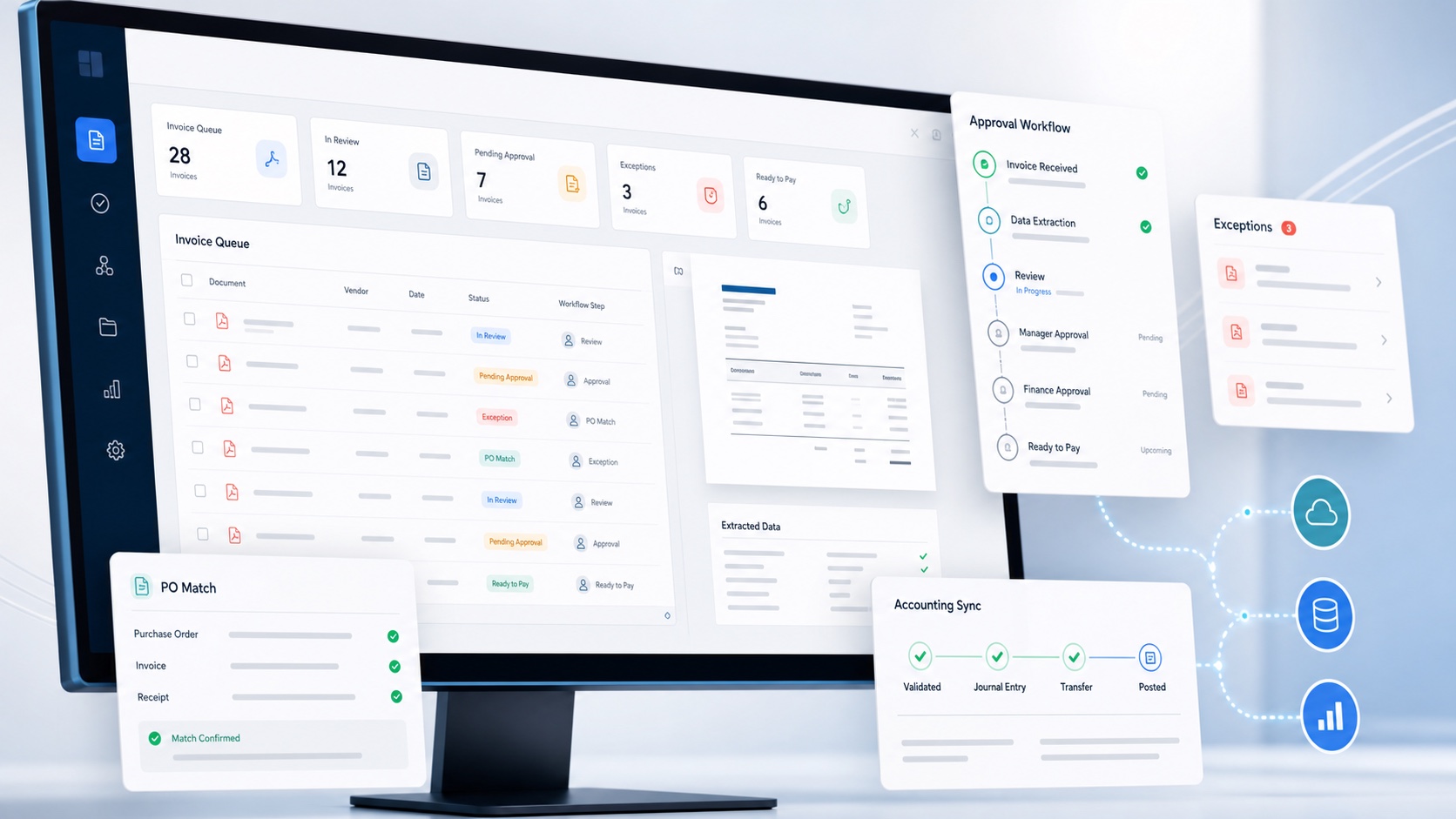
The right AP automation software is the smallest system that can control your real invoice process. A long feature list is less useful than a reliable route from receipt to accounting, with clear ownership when an invoice does not follow the standard path.
This comparison concentrates on dedicated AP automation platforms rather than receipt-capture or employee expense products. Every shortlisted system goes beyond OCR by connecting invoice capture to approvals, purchase-order controls, exception handling and an accounting or ERP outcome. The important differences are how deeply each product handles those stages, which systems it connects to and whether it stops at an approved liability or continues into supplier payment.
For a focused small-business shortlist, see our UK AP software comparison with pricing models, product limitations and vendor sources.
AP automation software comparison
This table is a capability map, not a ranking. It shows whether the vendor's current official product material presents each function as available. The exact plan, add-on, accounting integration and country still need to be checked during procurement.
Swipe the table to compare every feature.
| Software | AI invoice capture | Approval workflows | Approval delegation | RAG-assisted coding | PO controls or procurement | ERP or accounting sync | Included users | Pricing model | Multi-entity allowance | Supplier portal | Native payment workflow |
|---|---|---|---|---|---|---|---|---|---|---|---|
| ArrowBill | ✓ | ✓ | ✓ | ✓ | ✓ | ✓ | 20 included50 above 500 inv/mo | Pay as you gotiered volume rates | 1 HQ + 3subsidiaries included | × | × |
| DOKKA | ✓ | ✓ | × | × | ✓ | ✓ | Plan dependentconfirm included users | Pay as you gousage-based volume tier | ✓ | × | × |
| Rillion | ✓ | ✓ | ✓ | × | ✓ | ✓ | Plan dependentconfirm included users | Tieredvolume-based quote | ✓ | × | ✓ |
| Kefron AP | ✓ | ✓ | × | × | ✓ | ✓ | Plan dependentconfirm included users | Pay as you govolume-based quote | ✓ | ✓ | × |
| Yooz | ✓ | ✓ | ✓ | × | ✓ | ✓ | Plan dependentconfirm included users | Tiereddocument-volume plans | ✓ | ✓ | ✓ |
| Basware | ✓ | ✓ | ✓ | × | ✓ | ✓ | Plan dependentconfirm included users | Tieredvolume and modules | ✓ | ✓ | × |
| Lightyear | ✓ | ✓ | ✓ | × | ✓ | ✓ | Plan dependentconfirm included users | Tieredmonthly credit plans | ✓ | × | × |
| Zahara | ✓ | ✓ | ✓ | × | ✓ | ✓ | Plan dependentconfirm included users | Tieredfixed monthly plans | ✓ | ✓ | ✓ |
Key: ✓ means the capability is available, although it may require a particular plan, add-on, integration or country. In the delegation column, ✓ means the vendor presents dated absence cover, a proxy or a substitute approver rather than ordinary approval routing. In the RAG column, ✓ means the product explicitly uses retrieval-augmented supplier memory for accounting-code suggestions, not simply OCR or general AI. × means the capability is not presented as a named core feature. Pricing describes the vendor's public charging structure; quote-based products still require a tailored proposal. ArrowBill's user and entity figures are Team plan allowances; extra seats or subsidiaries beyond them are paid add-ons. Product scope checked on 26 August 2026.
1. ArrowBill
ArrowBill is a full two-way accounts payable automation platform built around the controlled path from supplier invoice to an approved, coded bill in the accounting platform. Invoices can be dragged and dropped directly into ArrowBill, scanned from a printer or scanner, or forwarded by email to a custom invoice address created for the organisation. ArrowBill captures the data and automatically scans for exceptions, including possible duplicate invoices and invoices from unknown suppliers, so unusual items can be reviewed before they continue through the workflow. It then routes approval where the selected plan supports it, retains the audit history and exchanges the relevant invoice and accounting information with Xero or QuickBooks Online. It deliberately leaves payment release within the organisation's existing banking or accounting process.
The platform is designed to make everyday use and collaboration straightforward, with a clear interface that helps occasional submitters and approvers participate without needing finance-system training. Staff can be authorised to view and work from different dashboards across multiple entities, with access determined by the role and authority assigned to each person. This lets a regional manager, budget owner or finance administrator move between the entities they are responsible for without exposing dashboards, invoices or controls outside their remit.
The scope is useful for teams that do not want to replace their entire finance stack. Solo starts at £45 per month for 100 invoices and is stripped back to invoice OCR and accounting export. Team starts at £70 and includes 20 user seats with full role-based access control at no additional per-seat charge, increasing to 50 included seats above 500 invoices per month. It also includes the procurement module without a separate module fee and supports one head office plus three subsidiaries, each with its own ledger, approvers and Xero or QuickBooks mapping. The head office administrator can allocate invoice volume and user seats across the organisation, giving each entity the capacity it needs while keeping oversight and control in one place.
ArrowBill also uses RAG-assisted supplier coding memory for nominal and tax codes. As the team confirms invoices, the system learns the supplier's coding patterns and can pre-fill high-confidence values while retaining audit visibility. This coding assistance is available on active plans rather than being reserved for the Team procurement workflow.
Company availability from staff settings. Use it to spot delegated cover and uncovered approval gaps before approvals stack up.
Supplier-specific memory combines approved invoice history with configurable confidence thresholds, so coding can be suggested or applied while the decision remains visible.
On Team, the shared calendar records when an approver is on holiday, off sick, in training or otherwise away. They can nominate an authorised colleague, and ArrowBill reroutes their approval requests for the selected period instead of letting invoices stall in an unattended queue.
The key boundary is payment. ArrowBill prepares an approved unpaid bill; it does not issue company cards or move money. That can be a limitation if one system must make payments, or an advantage when the business wants bank authority kept separate from invoice processing.
Check current scope and plan limits on ArrowBill's pricing page.
Test ArrowBill with your own invoice process
Compare capture, approvals, exceptions and accounting export using the documents your team handles every day. Trial ArrowBill across your organisation with 40 free invoices, with setup taking less than 20 minutes on average.
2. DOKKA
DOKKA positions itself as an AP automation layer over the ERP, rather than a replacement system of record. Its agents capture header and line data, learn coding behaviour, detect missing or inconsistent information, match purchase orders, route approvals and prepare invoices for posting. The document, conversation, approval status and audit activity remain in one visual workspace while data synchronises with the ERP.
The product is relevant where automation must work across a high invoice volume or a multi-entity ERP environment. DOKKA publishes native connections for systems including NetSuite, SAP Business One, QuickBooks, Microsoft Dynamics and Xero. Its NetSuite material specifically covers subsidiaries, custom segments, intercompany transactions and payment-status updates flowing back from the ERP.
Test the exact ERP connector, PO and receipt objects, custom fields and exception routes used by your organisation. DOKKA's public AP scope focuses on processing and posting rather than native payment execution, so confirm where payment approval, bank authority and remittance will remain.
Official product detail: DOKKA AP automation and DOKKA for NetSuite.
3. Rillion
Rillion connects invoice capture, coding, PO matching, approval and payment automation in a cloud AP platform. Its current capture product uses language-model technology to read invoices without supplier-specific templates, then checks the extracted data against vendor and accounting records. PO invoices can be matched to orders and goods receipts, while non-PO invoices follow coding and approval rules.
Rillion publishes integrations with more than 50 ERP systems and describes support across users, entities and locations. That makes it a stronger candidate where the AP team needs a common workflow around a larger ERP estate, not simply a way to turn a PDF into a draft bill. Approval status, fraud checks and payment controls can be considered as part of the same operational design.
Ask for the exact integration architecture and whether payment automation is native for your ERP, bank and country. Pilot the rules for tolerance matching, contracts, duplicate invoices and supplier bank-detail changes, because those exceptions determine how much work remains with AP.
Official product detail: Rillion AP automation and AI invoice management.
4. Kefron AP
Kefron AP covers invoice intake, data extraction, validation, automated coding, approvals, PO matching, reporting and ERP-ready output. It supports invoices arriving through email, XML, paper and supplier portals. Two and three-way matching can use purchase orders from the ERP or Kefron's own PO module, with discrepancies retained for review rather than pushed downstream.
A notable part of the proposition is the assurance layer for uncertain fields. That combines AI capture with validation support, which may suit teams that care more about clean ERP data than an unattended OCR percentage. Kefron also publishes a supplier self-service portal, statement reconciliation, a searchable document centre and integrations across major ERP and accounting platforms.
Confirm which assurance, portal, statement and PO features are in the proposed package. The normal endpoint is an approved, ERP-ready invoice for posting and payment, so map the banking process separately and verify how payment status returns to the AP team.
Official product detail: Kefron AP and its AP automation features.
5. Yooz
Yooz is a cloud purchase-to-pay platform built around automated invoice capture, tailored routing, matching, fraud controls, supplier collaboration and payments. Invoices can arrive through several channels, be linked to purchasing evidence and move through approval before payment and reconciliation. That makes capture one stage of the product rather than the product's boundary.
The platform is designed for businesses that want AP and payment workflow inside a wider P2P process. Yooz publishes a vendor portal where suppliers can upload invoices, follow invoice and payment status and collaborate with the buying organisation. Its payment capability and multi-entity design distinguish it from tools that stop after posting an approved bill to accounting.
Check which purchasing, portal, fraud-protection, e-invoicing and payment modules are included in the commercial proposal. Payment rails and ERP connectors vary by market, so the pilot should follow a real invoice through approval, payment, accounting and reconciliation.
Official product detail: Yooz AP automation and the Yooz platform overview.
6. Basware
Basware combines enterprise AP automation with a global e-invoicing and supplier network. Its platform handles invoice receipt, AI capture, automated coding, PO and non-PO matching, intelligent routing, approval, archive and audit evidence. It can match against orders, goods receipts, contracts and other purchasing evidence at header or line level, including information imported from an external ERP.
The product is strongest where the challenge spans entities, ERP instances, countries and invoice formats. Basware's supplier network and portal support e-invoice onboarding and invoice-status visibility, while its compliance services address changing tax and e-invoicing mandates. Approved invoices are commonly transferred back to the ERP ready for payment rather than making Basware the bank authority.
Plan for enterprise implementation work. Map each ERP instance, legal entity, invoice channel, tax jurisdiction, supplier onboarding route and matching rule. A global network creates value only when the rollout plan can move suppliers and local teams onto the standard process.
Official product detail: Basware AP Automation and its integration selection guide.
7. Lightyear
Lightyear brings purchasing and accounts payable into one cloud workflow. It extracts invoice data at line level, applies coding rules, routes bills and purchase orders through multi-tier approvals and performs three-way matching between a purchase order, goods received note and supplier bill. It also includes supplier-statement reconciliation and accounting or inventory integrations.
The product is particularly practical for businesses where invoice lines must feed both the general ledger and an inventory system. A parent dashboard supports users responsible for more than one Lightyear account, while approved documents can be exported to connected accounting software ready for payment. Its public product scope emphasises AP processing and purchasing rather than a supplier portal or native movement of funds.
Use the pilot to test complicated product invoices, partial deliveries, unit-price differences, credit notes and the exact export into accounting and inventory. Confirm whether each entity needs a separate account and how group users, reporting and configuration are managed.
Official product detail: Lightyear AP automation and its full feature list.
8. Zahara
Zahara approaches AP from the purchasing decision forward. Teams can raise and approve purchase requests, issue purchase orders, record goods received, capture invoice header and line detail, perform matching and route invoices for approval. Purchase, delivery, invoice and audit evidence remain connected before approved data moves into the finance system.
The platform supports business units and divisions, supplier management and a supplier portal, configurable workflows, budgets, mobile approvals and payment runs. Zahara also publishes an international-payment option through Currencies Direct. This breadth makes it a fuller AP and purchase-control platform than an invoice capture add-on, while its integrations include common UK and international accounting systems.
Confirm payment availability for the required entities and currencies, and test how the finance integration handles attachments, tax, tracking dimensions and supplier updates. Where purchase orders already live in an ERP, check the order-import route and decide which system owns the final purchasing record.
Official product detail: Zahara AP automation and its feature list.
Six tests for choosing the right software
- Define the boundary. Decide whether the platform should stop at accounting export or also own purchase requests, cards, supplier onboarding and payment execution.
- Map the standard route. Show how an ordinary PO invoice and an ordinary non-PO invoice should move from receipt to posting.
- List the exceptions. Include duplicates, credit notes, missing POs, price differences, unknown suppliers, invalid tax and unavailable approvers.
- Verify the integration. Test suppliers, chart-of-account codes, tax rates, tracking dimensions, document attachments, sync errors and the record created in accounting.
- Inspect control evidence. Confirm that roles, edits, approval decisions, delegation and accounting outcomes are visible without assembling evidence from several systems.
- Price the complete workflow. Include plans, add-ons, implementation, payment fees, entity charges, user limits, training and internal administration.
Run a pilot that produces comparable evidence
Shortlist three products and give them the same test pack. Include regular invoices from important suppliers, multi-page documents, line-item invoices, credit notes, duplicates, foreign currency, missing purchase orders and deliberately invalid accounting references. Remove live personal or bank data where a vendor has not completed the required security review.
Measure the result from receipt to accounting, not OCR in isolation. Record the fields captured correctly, corrections required, time to approve, clarity of exceptions, evidence retained and the accuracy of the final accounting record. If payments are in scope, test authorisation, bank-detail change controls, reconciliation and what happens when a payment fails.
Score mandatory requirements separately from desirable ones. A product that fails a mandatory control should not win because it has cards, dashboards or artificial intelligence features that the business did not need. The final decision should state what the software will own, what people will still own and how success will be measured after launch.
Frequently asked questions
What features should AP automation software include?
At minimum, look for reliable invoice capture, duplicate checks, coding support, approval routing, a visible exception queue, an audit trail and a controlled accounting export. Add purchase order controls, multi-entity access, supplier collaboration, e-invoicing or payments when those capabilities match the process you actually need.
What is the best AP automation software for a small business?
The best fit depends on scope. A small team may need focused invoice capture and accounting export, while another may need approvals, purchase orders, receipting or payments in the same platform. Compare the smallest plan that solves the full workflow instead of choosing the product with the longest feature list.
Should AP automation software make supplier payments?
Not necessarily. Some platforms execute supplier payments, while others stop after approval and create an unpaid bill in the accounting system. Either model can work if payment authority, supplier bank-detail verification and segregation of duties remain clear.
How can a business test invoice OCR accuracy?
Run a pilot using a representative set of clean and difficult invoices. Measure correct header fields, line items, tax, supplier matching and the time required to correct errors. Accuracy should be judged by review effort and accounting outcome, not by a vendor percentage alone.
How many AP automation products should a business shortlist?
Three is usually enough for a structured pilot. Give each vendor the same invoices, workflows, exception cases and integration questions, then score the results against mandatory requirements, implementation effort and total cost.
 Published guide
 Published guide
 Published guide